There’s no single best budgeting app in Canada: the right one depends on how you want to budget, whether you want a bank connection, and whether there are two of you. This page sets out 11 apps Canadians can use in 2026, each on the points that matter in Canada, and says who each one suits.
We make Larch, one of the 11. Every fact about the other apps comes from that company’s own pages, checked on Nov 20, 2026, and each app links to a full comparison with its sources. No app here paid to be included.
Where Larch stands out
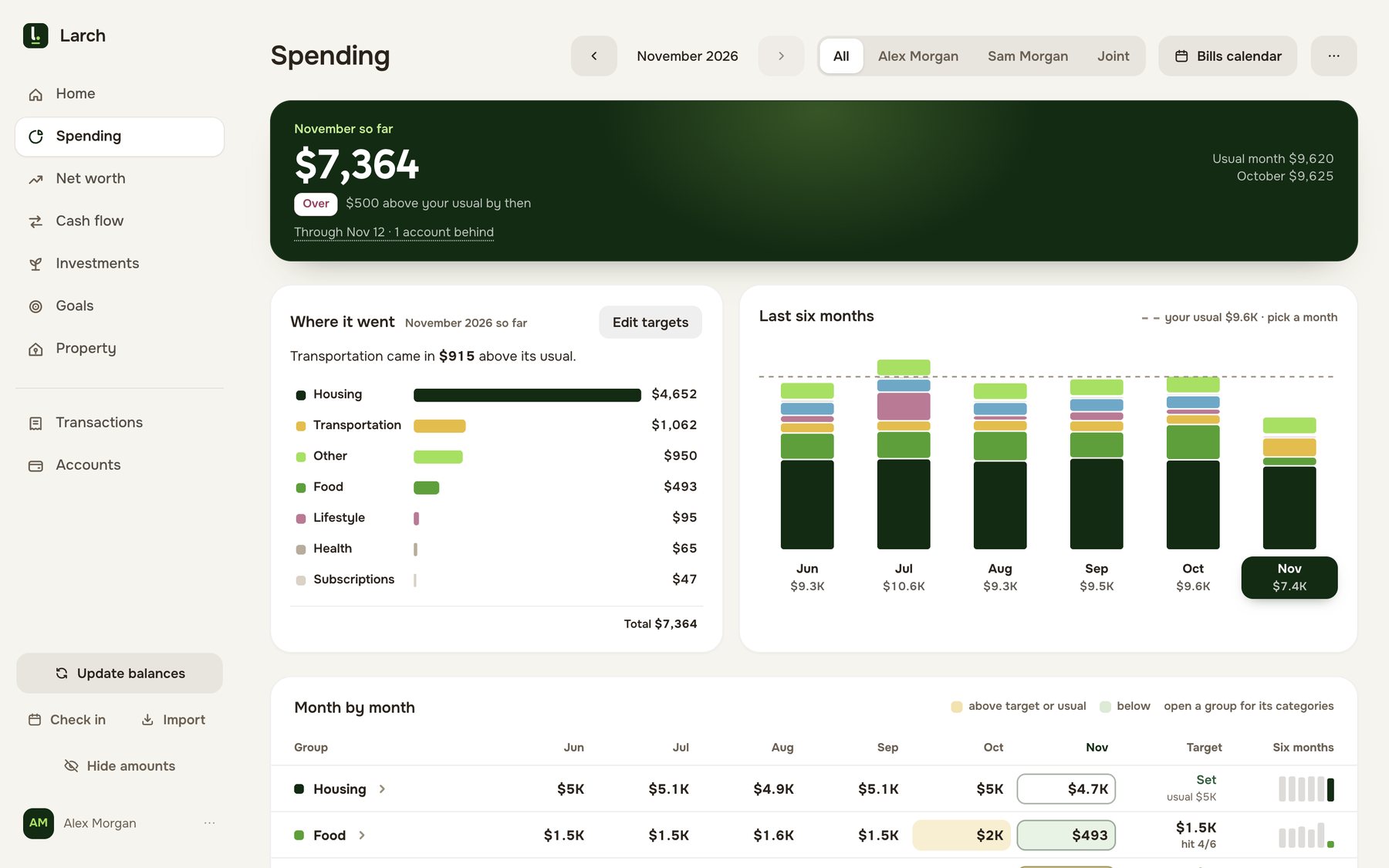
We built Larch for Canadian households, so it does a few things none of the other 10 apps’ own pages say they do:
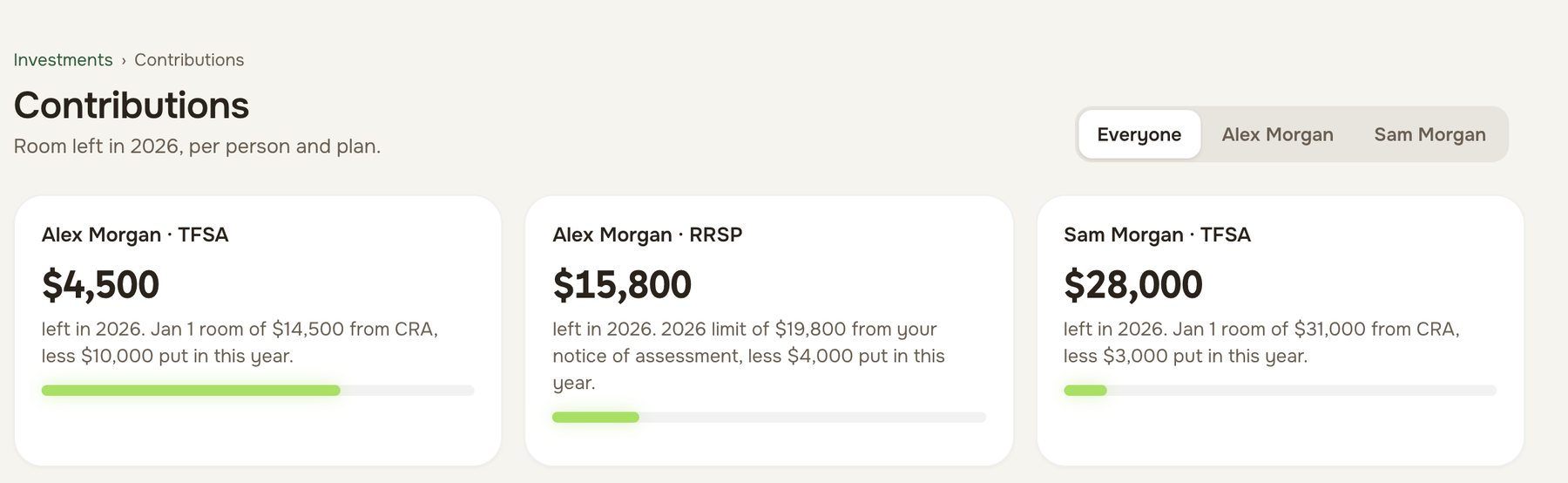
- Each person’s TFSA, RRSP and FHSA room. Larch starts from the CRA figure and keeps each partner’s room up to date as deposits come in. The other apps track the accounts’ balances, if at all, not the room left in them.
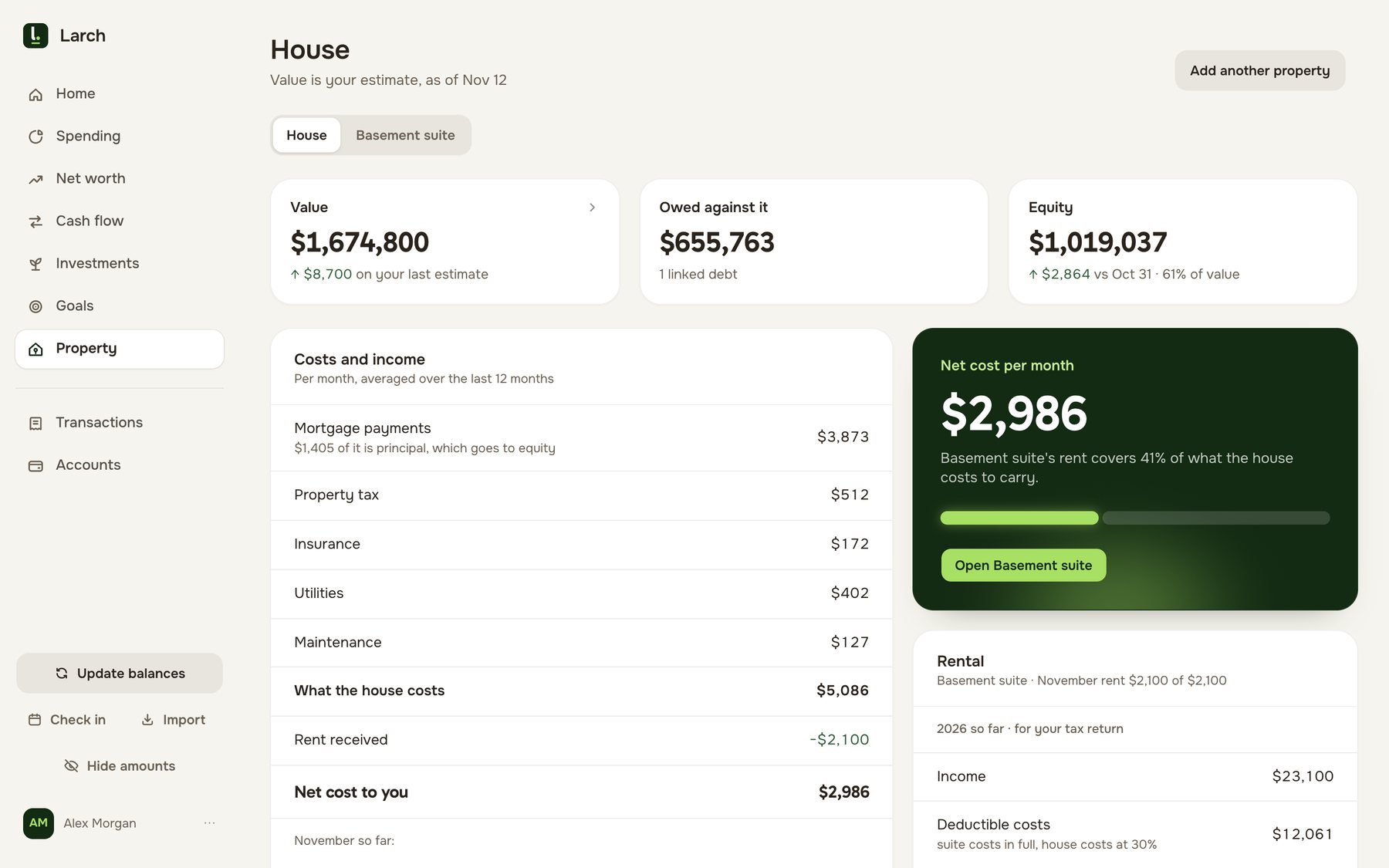
- Your mortgage renewal date. Larch keeps your home’s value, the mortgage terms, the renewal date and your equity, for one home or two. No other app here mentions the renewal date.
- A rented suite, laid out for form T776. The suite gets its own page by tax year: rent in, costs split between the house and the suite, receipts filed. Waypoint Budget’s Pro plan has a separate rental budget; the other apps’ pages don’t mention one.
- Every feature free. While Larch is in beta, there’s no paid tier and no card to enter. The other free plans here hold features back for paying customers.
It also does things a few others share: it stores your data in Canada, it never asks for your bank password, and it shows net worth for the household and for each partner.
The 11 apps side by side
| App | Price in Canada, a year | How your data gets in | Where your data is stored | Who it suits |
|---|---|---|---|---|
| Larch (ours) | Free while in beta, every feature | Statements you bring, CSV or PDF; no bank connection | Canada (Montréal) | Canadian couples who want the whole household, with each person’s TFSA, RRSP and FHSA room |
| YNAB | US$109, about CA$156 | Bank connection (MX, Plaid) or files | United States | Zero-based budgeting: every dollar a job |
| Monarch | US$99.99, about CA$143 | Bank connection (Plaid, Finicity, MX) or CSV | United States | An all-in-one app with bank connections |
| Lunch Money | $60 to $150 CAD, you choose | Bank connection (Plaid) or CSV and PDF | United States | Many currencies, billed in Canadian dollars |
| KOHO | $0 to $177 CAD | Your KOHO card’s own spending | Not only Canada, its terms say | A spending account with a budget built in |
| PocketSmith | Free plan; US$119.88, about CA$172 | Bank feeds (Yodlee, Plaid) or files | Not stated | Forecasting balances years ahead |
| Goodbudget | Free plan; US$80, about CA$115 | Typed in, or files | United States | Envelope budgeting, by hand |
| Wealthica | $50 to $250, currency not stated | Linked accounts | Canada (Montréal) | Following investments across Canadian brokerages |
| Waypoint Budget | Free plan; CA$79.99 to CA$129.99 | Bank connection (Plaid, Flinks) or files | Canada (Montréal) | A Canadian budget, free by hand |
| Neontra | Free plan; $99, currency not stated | Bank connection (Plaid, Flinks) or files | Canada, its privacy policy says | Budgets plus a financial plan and health score |
| Quicken Simplifi | US$83.88, about CA$120 | Bank connection, partner not named | Not only Canada, its privacy statement says | A spending plan that looks ahead 12 months |
US-dollar prices are converted at the Bank of Canada’s rate on the date checked on each comparison page (about US$1 = CA$1.43 in November 2026), before sales tax. KOHO’s range runs from its $0 Core plan to its Everything plan billed yearly.
Two well-known US apps aren’t in the table because their own pages say they don’t serve Canada: Copilot Money supports US accounts only, and EveryDollar Premium is sold in the US only.
Who each app suits
Larch, ours, is for Canadian couples who want the whole household in one place, not just the budget. Once a month you each bring your bank and card statements, as CSV or PDF files; Larch sorts them, asks a few questions only when it can’t tell, and keeps:
- budgets and targets against your usual month, and a bills calendar you can add to Apple or Google Calendar;
- net worth for the household and for each of you, account by account and month by month;
- each person’s TFSA, RRSP and FHSA room, and investments from your brokerage’s holdings report;
- your home, mortgage and renewal date, and a rented suite or side business, with receipts read from a photo.
It runs in your phone’s browser and on desktop rather than as an app-store app, stores your data in Canada, and is free while in beta. If you want a bank connection that brings transactions in by itself, or a phone app from the app store, one of the apps below suits you better.
YNAB is for people who want a method as much as an app. Its zero-based budgeting gives every dollar a job before you spend it, and it has phone apps and a bank connection. It bills in US dollars and stores data in the US.
Monarch is a broad, polished app with bank connections, investments and household members who each have their own login. It bills in US dollars, and its help centre says some features, such as Zillow home values, aren’t available in Canada.
Lunch Money is a Toronto company that bills in Canadian dollars, lets you choose your yearly price, and handles over 160 currencies. It suits people who like to set things up their own way.
KOHO is a prepaid Mastercard and spending account, not a budgeting app on its own. Its budget tool sorts what you spend on the KOHO card, so it suits people who move their day-to-day spending there.
PocketSmith is known for forecasting: daily balances projected years ahead, with what-if scenarios. Its own pages say many Canadian banks don’t allow for reliable bank feeds, and it prices in US dollars.
Goodbudget is envelope budgeting, typed in by hand or from files. Its free plan covers one account and 20 envelopes, and a household shares one login.
Wealthica is an investment tracker first: a Montréal company that links Canadian brokerage and bank accounts and shows every holding in one place, with a budget tool alongside.
Waypoint Budget is a Calgary budgeting app with a free plan you fill in by hand or from statements, and paid plans that connect to your banks. Like Larch, it stores data in Montréal and works for couples.
Neontra is a Toronto app that links your accounts on its Premium plan and adds a financial plan for life events and a financial health score.
Quicken Simplifi is a spending plan with balances projected up to 12 months ahead. Quicken’s own pages disagree on Canada: Simplifi’s help centre says it works in Canada, while a Quicken Canada page says it’s for the US only.
What to check before you choose
- The currency you’re billed in. A US-dollar price moves with the exchange rate, and sales tax comes on top.
- Whether your banks connect. If an app relies on a bank connection, check your own banks during its free trial. Several of these apps say Canadian connections can be less reliable than American ones.
- Where your data is stored. Some apps keep it in Canada, some in the US, and some don’t say.
- Two of you. Some apps give each partner a login and a view of their own; others share one login.
- Registered accounts. Few apps know about TFSA, RRSP and FHSA room. If you track it, check whether the app does.
Choosing an app as a couple
If there are two of you, our list of budgeting apps for couples in Canada compares how each app handles two people. If you’d rather start without paying, the free budgeting apps in Canada list sets out each free plan’s limits, and the Canadian budget template is a free spreadsheet.
Larch is free while in beta; how it works shows a month in it.