If you’re looking at Neontra as a Canadian, you’ve found a broad personal finance app from a Toronto technology firm, with budgets, net worth, investments and a financial plan in one place. Larch covers much of the same ground in a different way. Neontra links your accounts and adds forward-looking tools: a financial plan for life events and a health score. Larch keeps the whole household’s money in one place, from statements you bring once a month: budgets and bills, net worth for both partners and each, contribution room, investments, your home and a rented suite or side business. It’s free while in beta. Every Neontra fact below comes from Neontra’s own pages, checked on Nov 20, 2026.
The short answer
- Choose Neontra if you want accounts linked through Plaid, Flinks and Wealthica, a financial plan that projects life events like a home purchase or retirement, a score for your financial health, many currencies, and apps for iOS and Android.
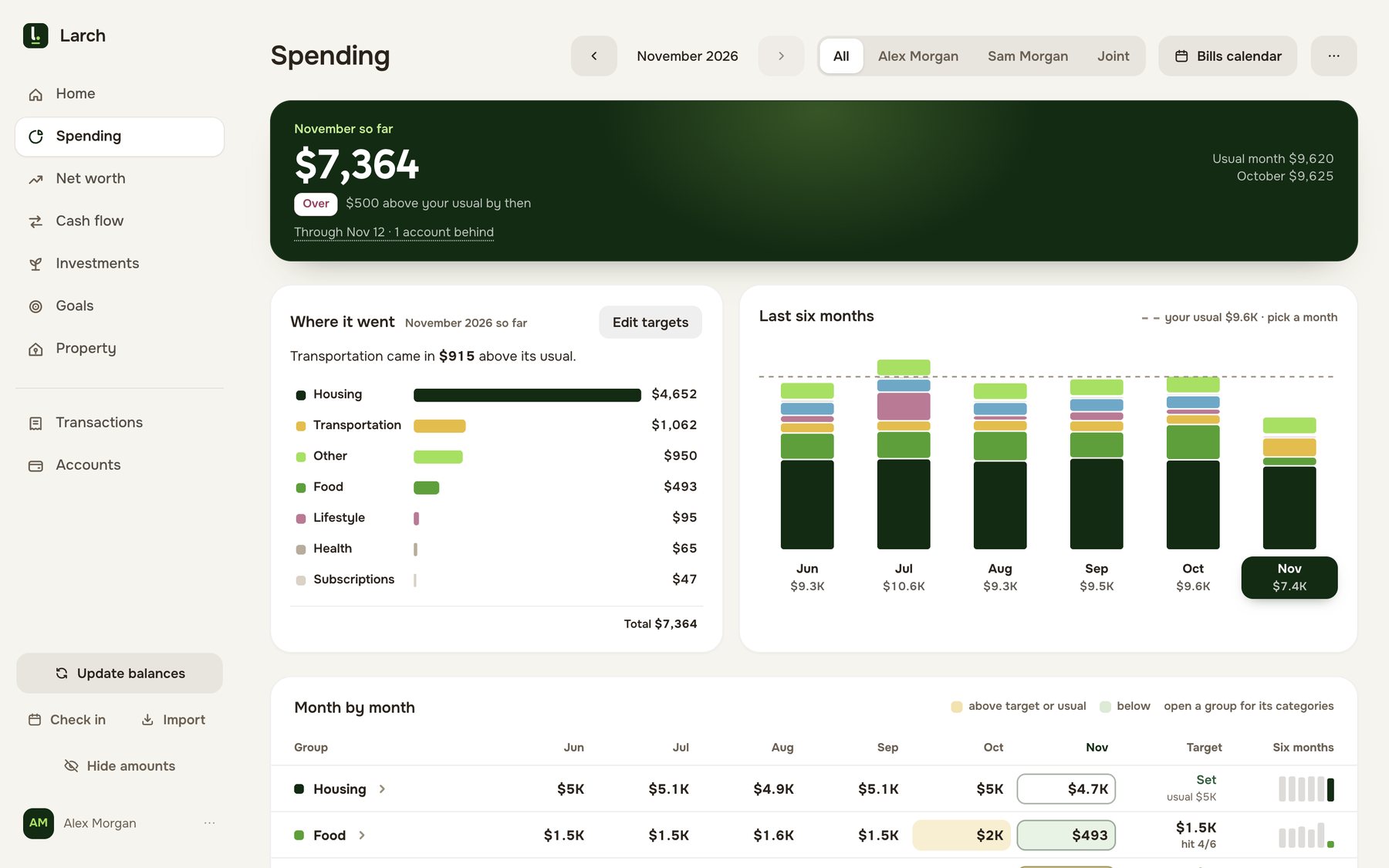
- Choose Larch if you’re a Canadian household that wants one picture of everything: what you spent, what you’re worth together and apart, how much TFSA, RRSP and FHSA room each of you has, what your home and mortgage are doing, and the books for a rented suite or side business. You bring a statement once a month; Larch never asks for your bank password.
What Neontra costs
Neontra’s pricing page has two plans. Premium is “$99 / year”, and the page says “Annual: Save 30% compared to Monthly at $12 / month”. It doesn’t name the currency. The Premium trial lasts 14 days with “No credit card required”, and if you don’t subscribe you move to the Free plan, where linked accounts stay but stop updating.
| Neontra | Larch | |
|---|---|---|
| Free | $0, limited: accounts tracked by hand | Free while in beta |
| Premium, yearly | $99 a year | Free while in beta |
| Premium, monthly | Available; the page mentions $12 a month | Free while in beta |
| Trial | 14 days of Premium, no credit card | No trial needed; no card |
Feature by feature
| Neontra | Larch | |
|---|---|---|
| How transactions get in | On Premium, US and Canadian banks through Plaid, Flinks and Wealthica; CSV or OFX files; a cash account kept by hand | Statement files, CSV or PDF, from your banks and cards. Larch learns a new bank’s layout once |
| Your bank password | Linked through its connection providers; it says it never stores passwords or account numbers | Never asked for |
| Budgeting | Targets per category, or one Neontra forecasts from your past spending; views by two weeks, month, quarter or year | Category budgets and targets against your usual month, shown as “$446 of $350 · $96 over” |
| Bills | A financial calendar of spending by day; recurring bills and income tracked | A bills calendar of every bill, payday and card payment, marked paid, due or late, that you can add to Apple or Google Calendar |
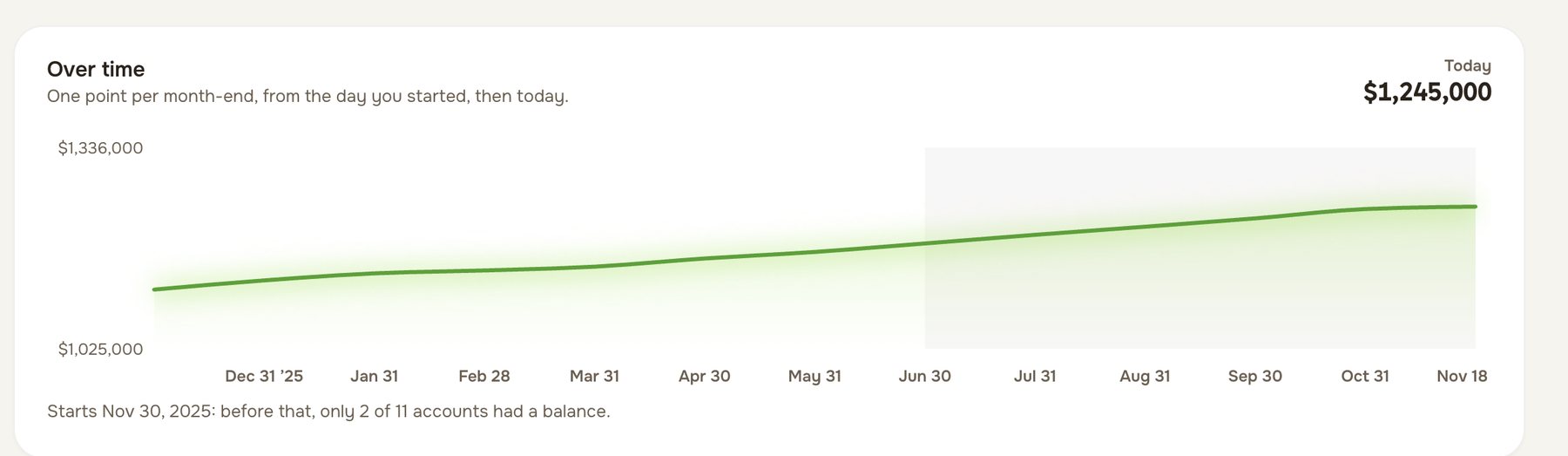
| Net worth | Across every account and currency, with homes, vehicles and other assets, and loans linked to them | For the household or either of you, with an account-by-account, month-by-month table |
| Investments | Stocks, ETFs, funds, fixed income and crypto, by performance, asset class, currency, sector or jurisdiction | Holdings from your brokerage’s report, by security, with this year’s market change |
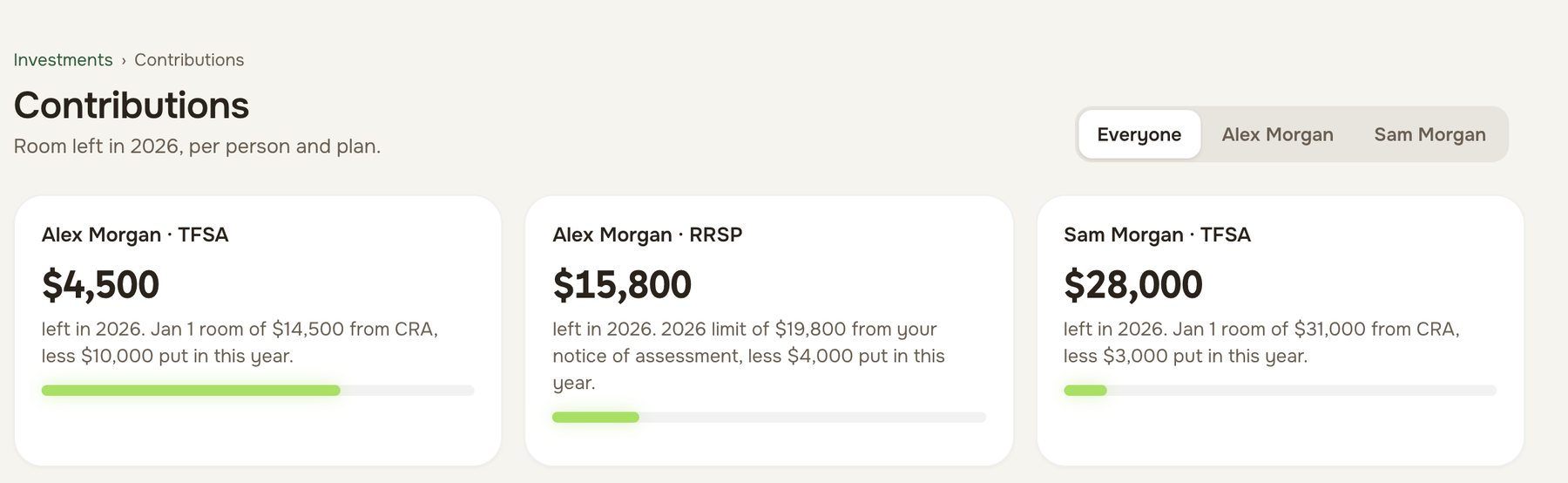
| TFSA, RRSP and FHSA room | Not stated | Each person’s room, starting from the CRA figure and kept right as deposits come in |
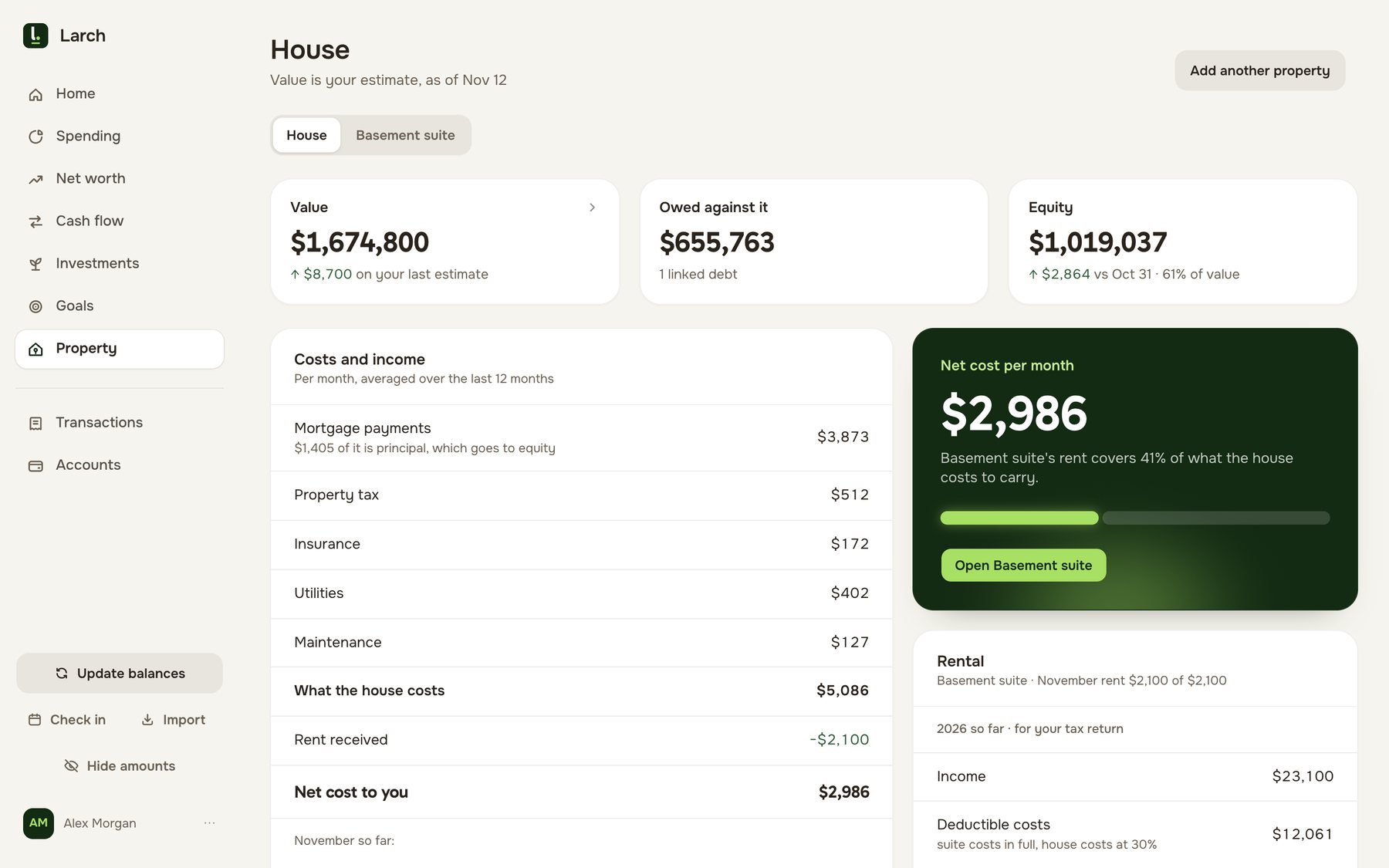
| Your home and mortgage | Home value, equity, mortgage, ownership costs and appreciation; renewal date: not stated | Home value, mortgage terms, renewal date and equity, for one home or two |
| A rented suite | Not stated | Its own page by tax year: rent in, costs split, receipts filed, with form T776 in mind |
| Side business | Not stated | An optional setting that keeps business money apart, with receipts read for you from a photo |
| Planning ahead | A financial plan with projections for life events and retirement, and a Health Check score | Not offered beyond scheduled payments |
| Couples | “Account sharing gives your whole family a single view”; separate logins and per-person views: not stated | Two equal partners, each with a login; every figure for the household or either of you |
| A monthly routine | Not stated | A ten-minute check-in that asks only what Larch can’t tell |
| AI | Not stated; insights are drawn from your data | Connect your own Claude or ChatGPT to ask about your money, read-only |
| Apps | iOS, Android and a web app | Runs in the browser on phone and desktop; no app-store app |
| Currency | 46 currencies, with balances shown in US or Canadian dollars | Canadian dollars |
| Where your data is stored | Its privacy policy says it transfers data to Canada and processes it there | In Canada, in the Montréal region |
Neontra’s details are from its home page, pricing, features, download, about and security pages, its privacy policy and its terms. “Not stated” means Neontra’s pages don’t say. Larch’s are on How it works.
Where Neontra is stronger
- Looking ahead. Neontra builds a financial plan for life events such as a car, a home or retirement, and tells you whether you’re on track. Larch doesn’t project beyond scheduled payments.
- Transactions without a monthly step. On Premium, linked accounts update for you. With Larch, you download a statement for each account once a month.
- More than one currency. Neontra handles 46 currencies with 25 years of past exchange rates. Larch works in Canadian dollars only.
- A health score. The Health Check scores expenses, saving, emergency fund, investments, debt and credit, and tracks the scores over time.
- Phone apps. Neontra has apps for iOS and Android. Larch runs in your phone’s browser.
Where Larch is stronger
- Canadian accounts, by name. TFSA, RRSP and FHSA room for each person, from your CRA figures. Neontra’s pages don’t mention contribution room.
- Owners with a suite or a side business. A page for the suite by tax year, and business costs kept apart, with receipts read from a photo.
- Two of you, each with a login. Every figure for the household or either partner. Neontra’s pages mention family sharing without saying how it works.
- The mortgage’s renewal date. Larch keeps your mortgage terms and renewal date beside the home’s value and equity.
- No bank password, and free while in beta. Larch has no connection to any bank. Neontra Premium is $99 a year.
When there are two of you
Neontra’s features page says it’s “Built for the whole family” and that account sharing gives the family a single view of its finances. Its pages don’t say whether each partner gets their own login, or whether you can see net worth for each person on their own.
Larch treats you as equal partners: invite your partner by link, and every page shows the household or either of you. That includes net worth and each person’s TFSA, RRSP and FHSA room, which is where couples most often lose track.
A worked example
Alex and Sam are an example couple with accounts at three institutions, a mortgage and a basement suite (example figures).
On Neontra Premium they pay $99 a year, and their three institutions likely link through Plaid, Flinks or Wealthica. Their spending, budgets, net worth, investments and home are covered, along with a plan for retirement. Their TFSA room by person, mortgage renewal date and the suite’s rent and costs by tax year would live somewhere else, likely a spreadsheet.
With Larch they pay nothing during the beta. Once a month each of them downloads a statement per account and brings it in, which takes about ten minutes. The same household then shows their spending against their budgets, the bills calendar, net worth for both and each, each person’s room, the mortgage and the suite’s year.
Switching from Neontra to Larch
- Start with this month. Download each account’s latest statement from your banks as CSV or PDF, and bring them into Larch.
- Set your budgets. Use your Neontra category targets as your starting budgets and targets.
- Add the rest. Your balances, your brokerage’s holdings report, your CRA room figures and your home, if you want the whole picture.
- Invite your partner by link.
For other Canadian apps, see Canadian money apps compared, or Larch and Monarch.