The best budgeting app for a couple depends on how you run money together: one shared pot, separate money, or yours, mine and ours. This page compares how 11 budgeting apps Canadians can use handle two people: logins, shared and personal views, splitting costs, and registered accounts.
We make Larch, one of the 11. Every fact about the other apps comes from that company’s own pages, checked on Nov 20, 2026; each links to a full comparison with its sources.
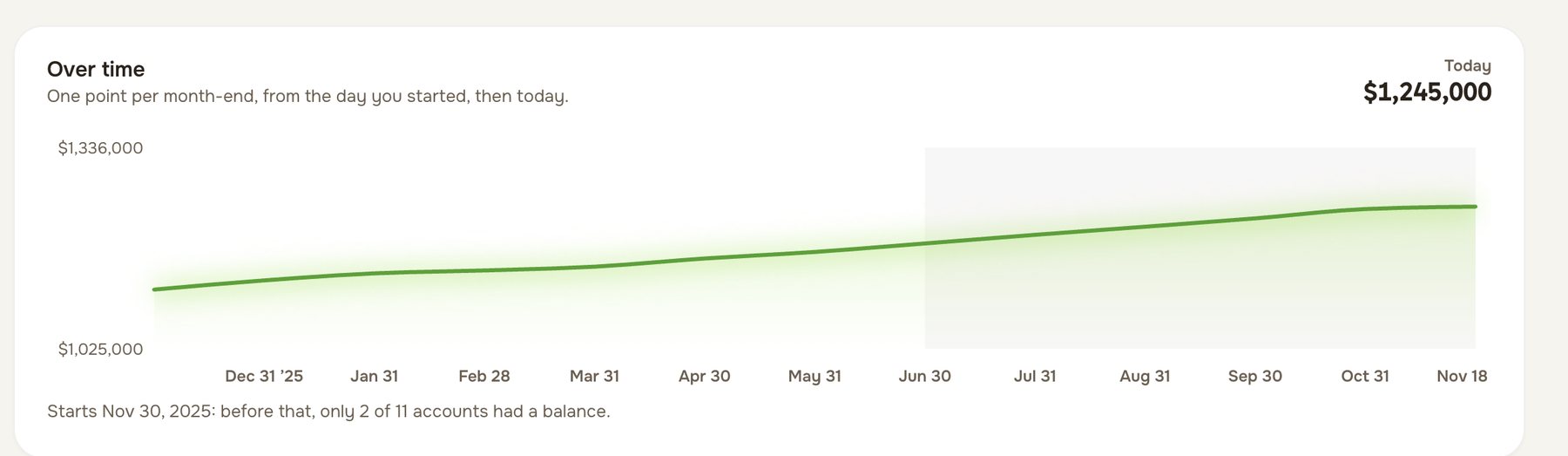
What Larch does for two
We built Larch for couples first, and it handles two people in ways the other apps’ pages don’t describe:
- Every figure, three ways. Spending, net worth and accounts for the household, for you, and for your partner, with whose account is whose. Wealthica’s groups per person come closest.
- Each person’s TFSA, RRSP and FHSA room. Registered accounts belong to one person, so Larch keeps each partner’s room separately, starting from the CRA figure. No other app here mentions contribution room.
- Two equal partners. You invite your partner by link and you each get your own login. Neither of you is the admin with the other as a guest.
- No bank connection to set up for each of you. You each bring your own statements, whichever bank they come from, and Larch never asks for a bank password.
- Free for both of you while Larch is in beta, with every feature.
How each app handles two people
| App | How a partner joins | Each partner’s own view |
|---|---|---|
| Larch (ours) | Two equal partners, each with their own login, invited by link | Every figure for the household or either of you, including net worth and TFSA, RRSP and FHSA room |
| YNAB | YNAB Together: the plan’s manager plus up to 5 invited people | Not stated |
| Monarch | Household members with their own logins, as admin or member | Not stated |
| Lunch Money | An admin plus any number of collaborators, each with a login; everyone sees all accounts | Not stated |
| KOHO | A Joint account: one shared balance and a card each, in the mobile app | Not stated |
| PocketSmith | Collaborator access: another user with full permissions on your account | Not stated |
| Goodbudget | One household, shared by logging in with the same username and password | Not stated |
| Wealthica | One account with groups per person, or two accounts with read-only sharing on its top plans | Groups per person |
| Waypoint Budget | On Pro, members join one household free | A private budget for each partner, and Settle Up for shared costs |
| Neontra | “Account sharing gives your whole family a single view” | Not stated |
| Quicken Simplifi | One shared space with one other member, who has their own Quicken ID | Not stated |
“Not stated” means the app’s pages don’t describe a separate view for each partner; it may still have one.
Three ways couples run money, and what to look for
One shared pot. Everything goes into joint accounts and one budget. Any app with a shared budget works; look for a separate login for each of you, so neither has to share a password.
Separate money, shared bills. Each of you keeps your own accounts and pays a share of the bills. Look for a way to split shared costs and see who paid what. Waypoint Budget’s Pro plan has Settle Up for this, and our free couples’ budget template splits costs 50/50 or by income.
Yours, mine and ours. Some money is joint and some is each person’s. Look for an app that shows the household and each partner on their own. Larch shows every figure both ways.
What’s different in Canada
Registered accounts belong to one person. A TFSA, RRSP or FHSA is always in one partner’s name, with that partner’s own contribution room. An app that adds the two of you together can’t tell you how much room each of you has. Larch keeps each person’s room on its own, starting from the CRA figure.
Each of you may bank in different places. If an app depends on a bank connection, both partners’ banks need to connect. Several apps say Canadian connections can be less reliable than American ones. Larch works from the statements each of you brings, whichever bank they come from.
Joint accounts work differently from separate ones. The Financial Consumer Agency of Canada’s page on joint bank accounts sets out what each joint owner can do. Our guide to joint or separate accounts covers the rest.
For price, data storage and bank connections across the same apps, see budgeting apps in Canada for 2026.
Larch is built for two: see Larch for couples.