If you’ve seen Copilot Money recommended and you live in Canada, the first thing to know is that it isn’t built for you yet. Copilot’s own FAQ says it supports “US-based accounts only”, and its help centre says it supports only US financial institutions and only US dollars. Copilot is a polished app for Apple devices, with a bank connection, an AI assistant and investment tracking. Larch is the Canadian alternative to look at: budgets and bills, net worth for both partners and each, TFSA, RRSP and FHSA room, investments, property and a side business, in Canadian dollars. It’s free while in beta. Every Copilot fact below comes from Copilot’s own pages, checked on Nov 18, 2026.
The short answer
- Choose Copilot Money if your accounts are at US banks, you use an iPhone, iPad or Mac, and you want transactions to arrive on their own through a bank connection, with an AI assistant that tidies them up.
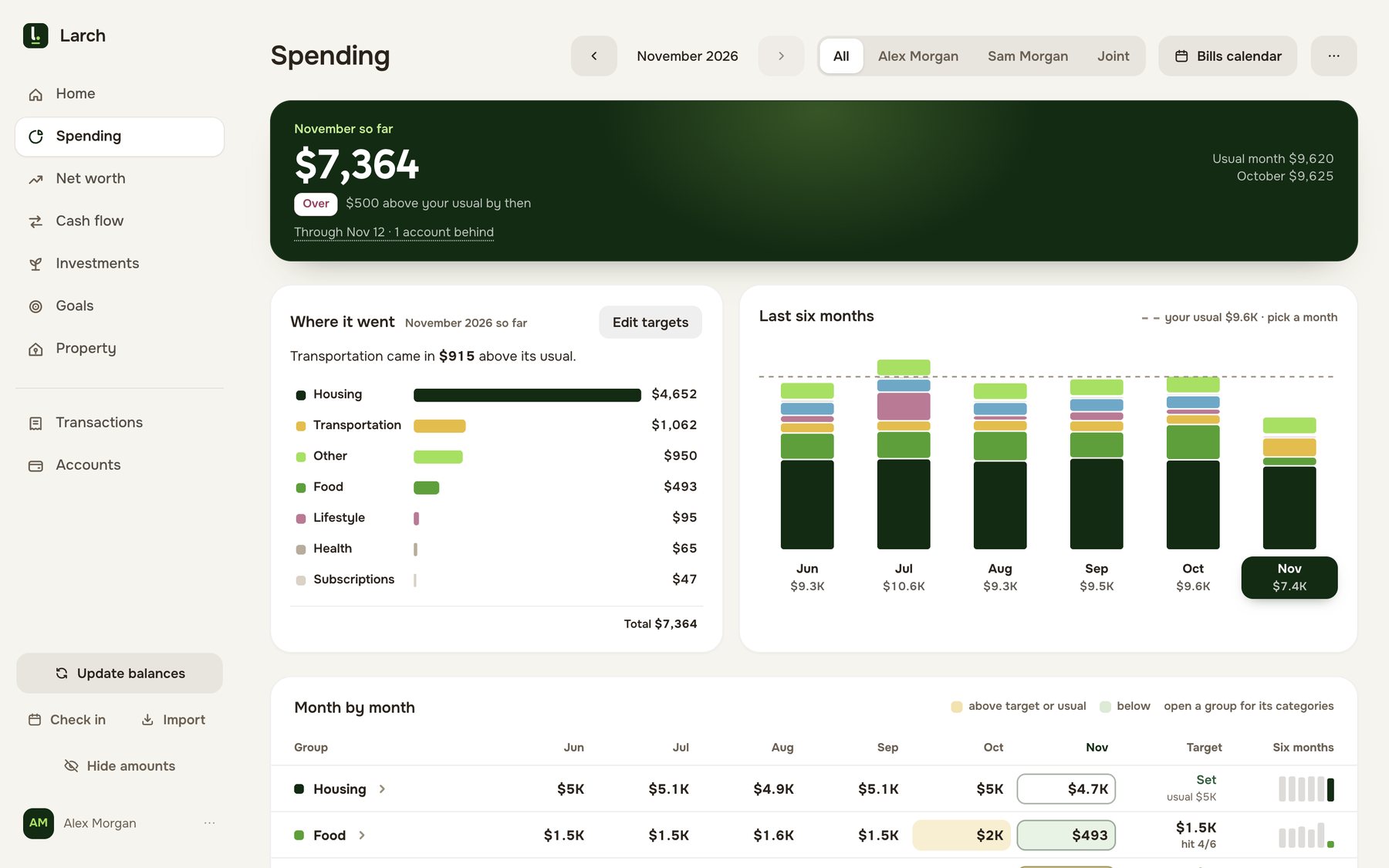
- Choose Larch if you’re a Canadian household with Canadian accounts. Larch keeps one picture of everything: what you spent, what you’re worth together and apart, how much TFSA, RRSP and FHSA room each of you has, what your home and mortgage are doing, and the books for a rented suite or side business. You bring a statement once a month; Larch never asks for your bank password.
What Copilot Money costs in Canada
Copilot’s help centre says “we only support US financial institutions and as such are only available in the US App Store.” So for most Canadians the real answer is that Copilot isn’t available. For reference, its pricing page lists $9 a month or “$109 billed yearly”. The page doesn’t name a currency; since Copilot is a US-only service, the Canadian-dollar figures below assume US dollars.
| Copilot Money | Larch | |
|---|---|---|
| Available in Canada | No: US accounts and the US App Store only | Yes |
| Yearly | $109, about CA$156.15 if in US dollars | Free while in beta |
| Monthly | $9, about CA$12.89 (CA$154.72 over a year) | Free while in beta |
| Trial | One month free for new users | No trial needed; no card |
| People on one plan | One shared account today; households of up to 3 people marked “Coming soon” | Your household: you and your partner, each with your own login |
Canadian-dollar figures use the Bank of Canada rate on Nov 18, 2026: US$1 = CA$1.4326. Your card issuer’s rate and fees will differ, and sales tax comes on top.
Feature by feature
| Copilot Money | Larch | |
|---|---|---|
| How transactions get in | A connection through Plaid for most institutions, with Mastercard, MX and Akoya for some others, and direct links for Apple, Capital One, Public and Coinbase; manual accounts. A general file import is not stated | Statement files, CSV or PDF, from your banks and cards. Larch learns a new bank’s layout once |
| Your bank password | Given to the data provider when you link; Copilot says it doesn’t “see or store” it | Never asked for |
| Canadian banks | US financial institutions only | Any bank or card that gives you a statement |
| Budgeting | Monthly budgets by category, with optional rollovers that carry leftover or overspent amounts forward | Category budgets and targets against your usual month, shown as “$446 of $350 · $96 over” |
| Bills | A Recurrings tab of what’s paid and left to pay this month | A bills calendar of every bill, payday and card payment, marked paid, due or late, that you can add to Apple or Google Calendar |
| Where the month went | Cash flow charts, and a month and year in review | Income branching into spending, saving and investing, with what you kept and the rows behind each branch |
| Net worth | Account balances combined in one view | For the household or either of you, with an account-by-account, month-by-month table |
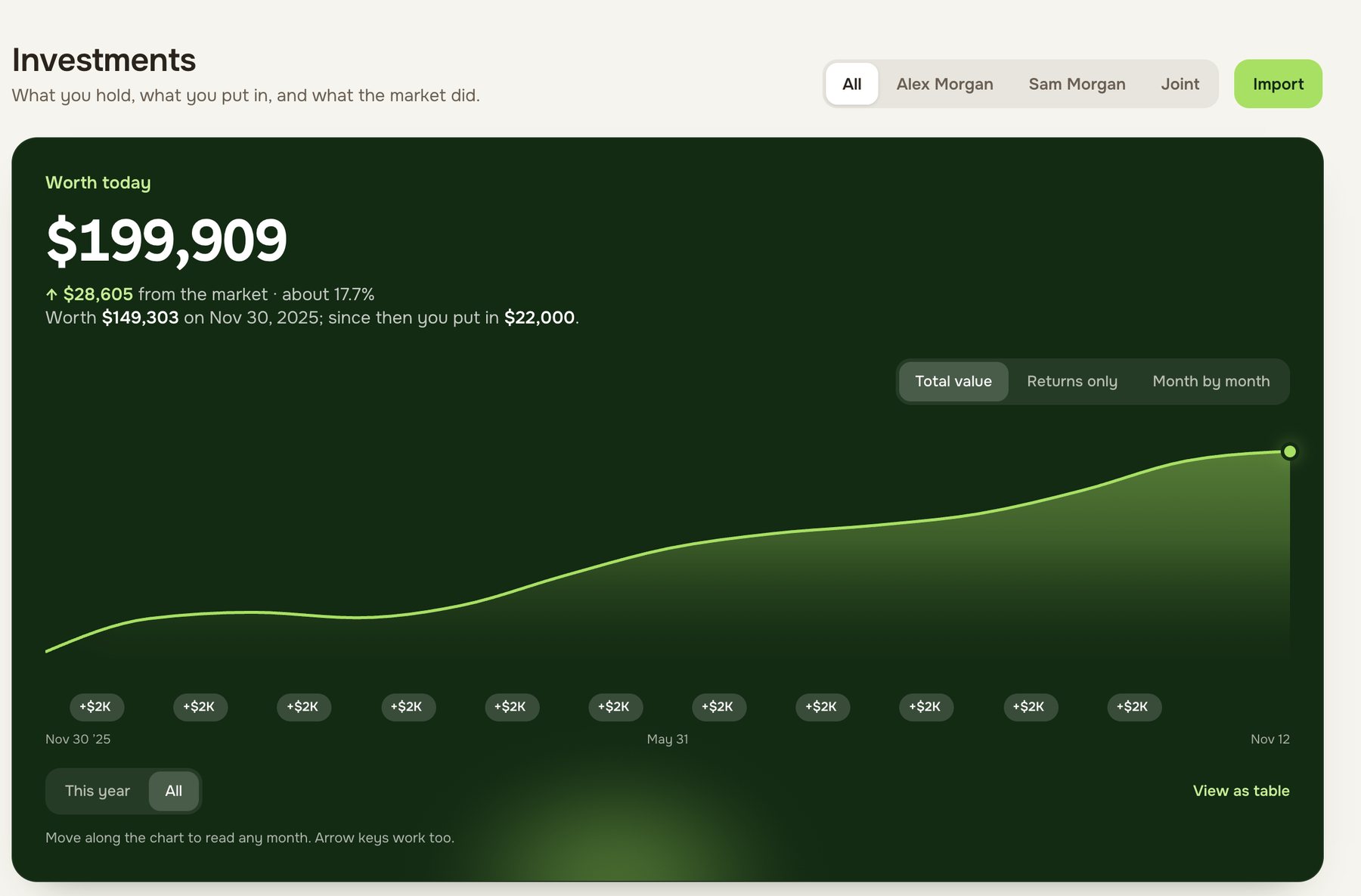
| Investments | Holdings by security from linked accounts, with returns and a benchmark such as an S&P 500 fund | Holdings from your brokerage’s report, by security, with this year’s market change |
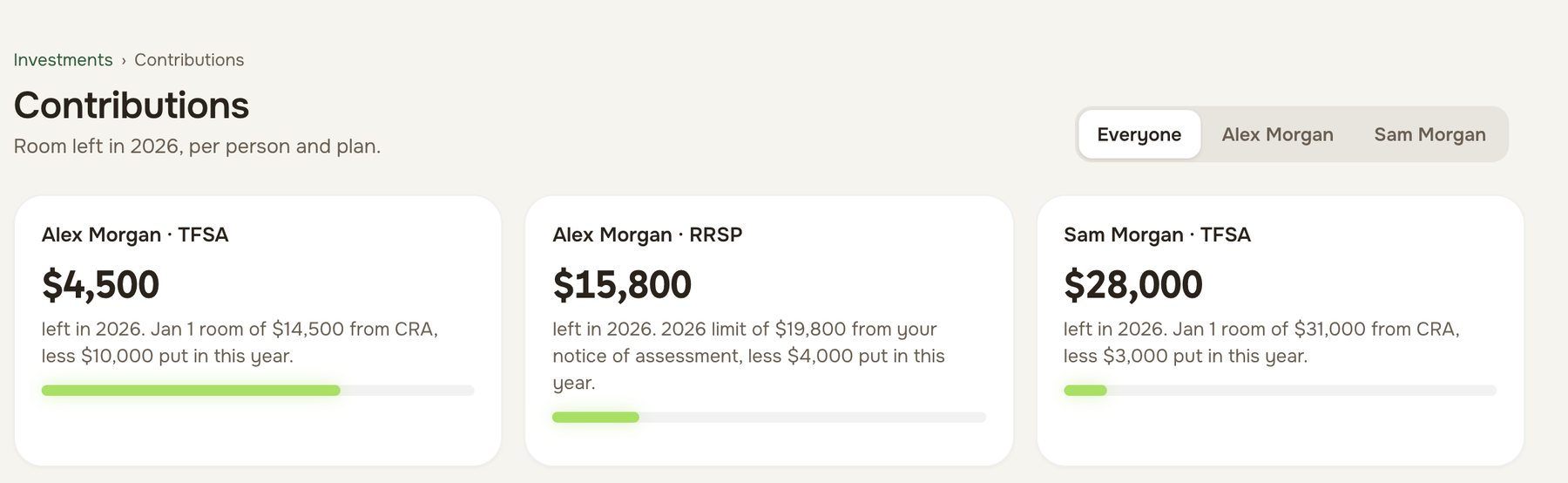
| TFSA, RRSP and FHSA room | Not stated | Each person’s room, starting from the CRA figure and kept right as deposits come in |
| Your home and mortgage | Home value from Zillow, RentCast or by hand, with a linked mortgage and equity | Home value, mortgage terms, renewal date and equity, for one home or two |
| A rented suite | Not stated | Its own page by tax year: rent in, costs split, receipts filed, with form T776 in mind |
| Side business | Separate categories or tags; its FAQ says it’s “not for businesses” | An optional setting that keeps business money apart, with receipts read for you from a photo |
| Receipts | Not stated | Photograph it and Larch reads the merchant, date and amount, for suite and business costs |
| Couples | A partner signs in to the same account; separate household members marked “Coming soon” | Two equal partners, each with a login; every figure for the household or either of you |
| A monthly routine | A month in review at the turn of each month | A ten-minute check-in that asks only what Larch can’t tell |
| AI | Categorizing, a money assistant that “always asks before acting”, and a read-only connector for Claude, ChatGPT and others | Connect your own Claude or ChatGPT to ask about your money, read-only |
| Apps | iPhone, iPad, Mac and web; no Android app listed | Runs in the browser on phone and desktop; no app-store app |
| Currency | “Copilot only supports USD and does not convert foreign currency transactions” | Canadian dollars |
| Where your data is stored | “Transferred, processed, and stored in the United States”, on Google Cloud | In Canada, in the Montréal region |
Copilot’s details are from its home page, pricing and FAQ, its help pages on currency, getting started, how it gets your data, manual accounts, budget rollovers, recurrings, investments, real estate, business spending, sharing with a partner, month in review, AI tools and subscriptions, and its privacy and security page and privacy policy. “Not stated” means Copilot’s pages don’t say. Larch’s are on How it works.
Where Copilot Money is stronger
- Apple apps. Copilot has native iPhone, iPad and Mac apps as well as a web app. Larch runs in your browser.
- Transactions without a monthly step. For US accounts, Copilot brings transactions in through its connection. With Larch, you download a statement for each account once a month.
- An assistant that does chores. Copilot’s money assistant fixes categories, matches refunds and follows standing instructions, and asks before it acts. Larch’s AI is your own Claude or ChatGPT, reading only.
- Market comparisons and home estimates. Copilot compares your holdings with a benchmark and can price a US home from Zillow or RentCast. Larch takes the home value you enter.
Where Larch is stronger
- It works in Canada. Larch reads statements from Canadian banks and cards. Copilot supports US financial institutions only.
- Canadian money, in Canadian dollars. TFSA, RRSP and FHSA room for each person, from your CRA figures, and every amount in Canadian dollars. Copilot only supports US dollars.
- Owners with a suite or a side business. A page for the suite by tax year, and business costs kept apart, with receipts read from a photo.
- Two real logins. Each partner has their own login, and every figure shows the household or either of you.
- No bank password, data in Canada. Larch has no connection to any bank, and your data is stored in Montréal. Copilot’s data is stored in the United States.
- Free while in beta. Copilot is $109 a year.
When there are two of you
Copilot’s help page on sharing describes a partner signing in to the same account with a sign-in link, and warns that “any additional logged-in devices will also have full control of the account.” To tell whose spending is whose, it suggests a category group or a tag for each person. Its pricing page shows households of up to three people as “Coming soon.”
Larch treats you as equal partners from the start: invite your partner by link, each of you gets a login, and every page shows the household or either of you. That includes net worth and each person’s TFSA, RRSP and FHSA room, which is where couples most often lose track. Each partner’s statements come in the same way, whichever Canadian bank they’re from.
A worked example
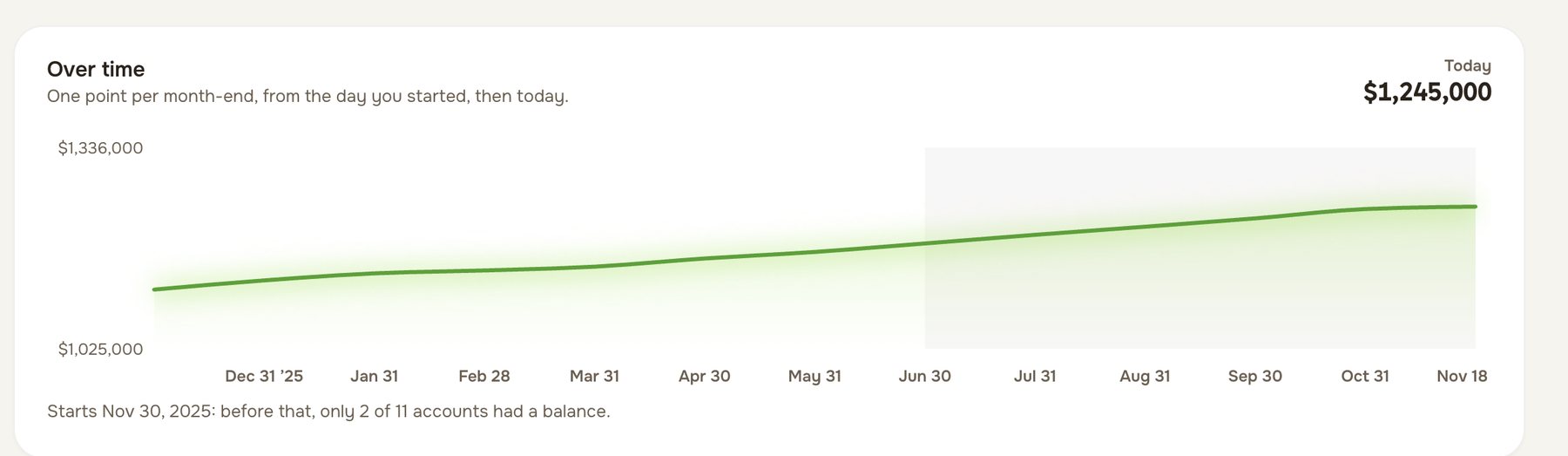
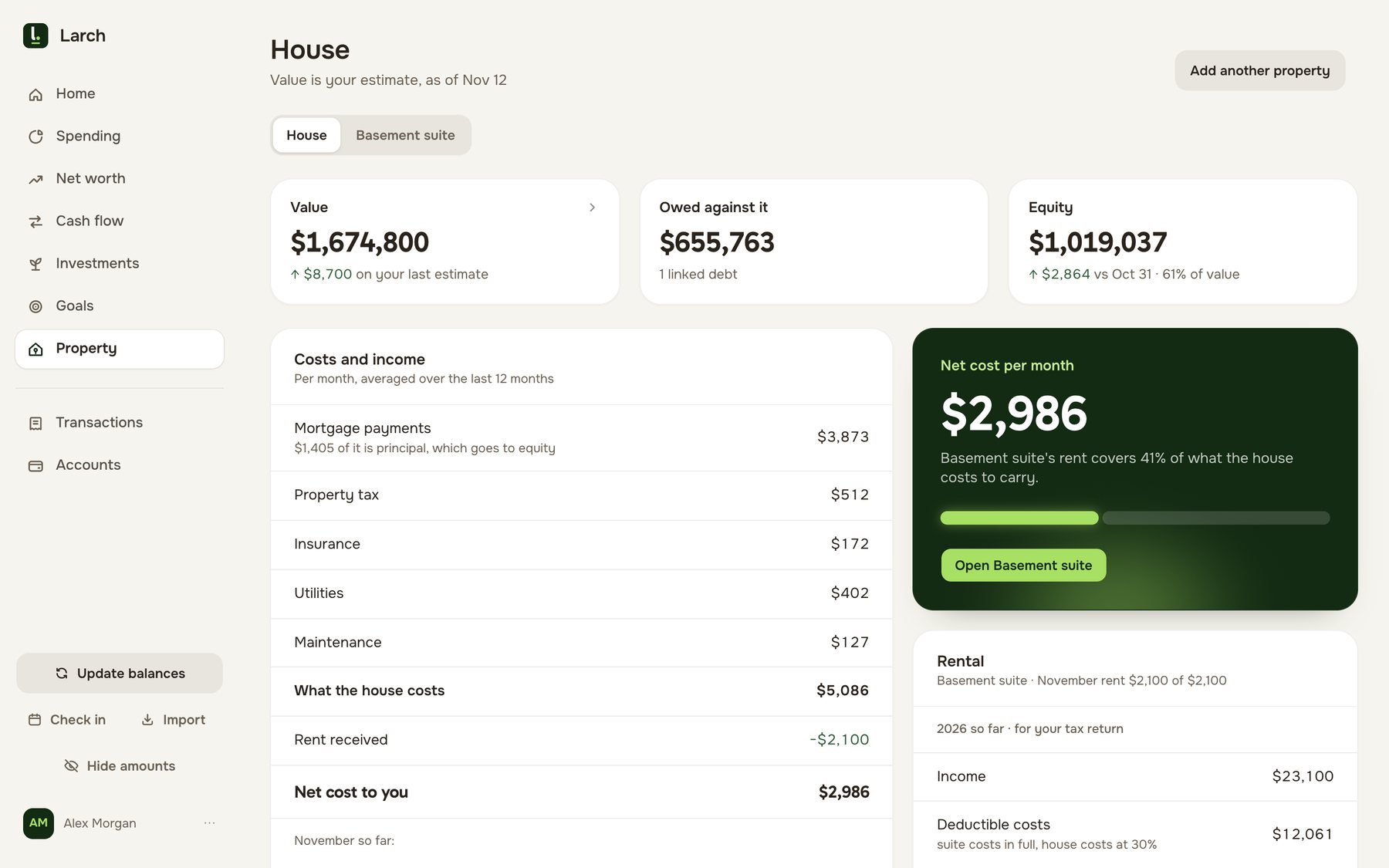
Alex and Sam are an example couple with accounts at three institutions, a mortgage and a basement suite (example figures).
All three institutions are Canadian, so Copilot can’t connect to any of them: its help centre says it supports only US financial institutions. Even if they could sign up, every amount would be treated as US dollars, and their TFSA room, mortgage renewal and the suite’s rent and costs would live somewhere else, likely a spreadsheet.
With Larch they pay nothing during the beta. Once a month each of them downloads a statement per account and brings it in, which takes about ten minutes. The same household then shows their spending against their budgets, the bills calendar, net worth for both and each, each person’s room, the mortgage and the suite’s year.
Switching from Copilot Money to Larch
- Start with this month. Download each Canadian account’s latest statement as CSV or PDF, and bring them into Larch. There’s no Copilot file to convert.
- Set your budgets. Use the category amounts you had in Copilot as your starting budgets and targets.
- Add the rest. Your balances, your brokerage’s holdings report, your CRA room figures and your home, if you want the whole picture.
- Invite your partner by link.
For other Canadian apps, including net worth trackers and landlord apps, see Canadian money apps compared, or Larch and YNAB.